
- Channels
- AI replies
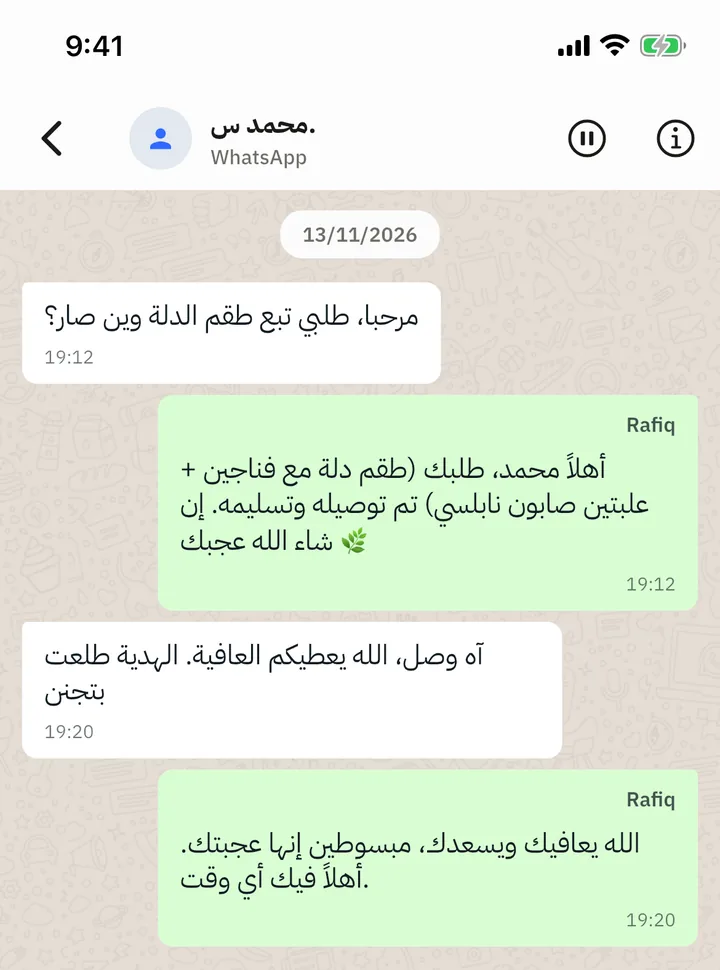
WhatsApp Business: Rafiq now replies on your WhatsApp number
Connect the number you already use in the WhatsApp Business app. Rafiq answers customers there, and you keep using the app as before.

Rafiq now works on WhatsApp alongside Facebook Messenger and Instagram.
How to connect
In the app, open Settings, then Connected Platforms, tap Connect and pick WhatsApp. You complete Meta's official sign-up for the number you already use in the WhatsApp Business app and approve the connection. If you have several numbers, you choose which one to connect. Only the account owner can connect WhatsApp.
How it works
- You keep your app. The number stays in the WhatsApp Business app on your phone. You still see every chat there and can reply yourself.
- Rafiq answers customers. It handles text, photos and voice notes, finds products and takes orders, the same as on the other channels.
- Your reply pauses Rafiq. When you answer a customer from the WhatsApp Business app, Rafiq steps back on that conversation for a while so you do not talk over each other.
- Recent chats for context. When you connect, you can allow WhatsApp to share recent conversations so Rafiq knows what was already discussed. Rafiq never replies to old messages.
Limits
- Personal WhatsApp accounts are not supported; the number must be on the WhatsApp Business app.
- Following WhatsApp's rules, Rafiq can reply only within 24 hours of the customer's last message.
- Rafiq does not send broadcasts or marketing campaigns on WhatsApp.